


ToonApp AI+ Viral Photo Maker
4.42.73K Reviews
App Specs
- Version
- 1.0.30
- Updated On
- License
- Free
- Downloads
- 100,000+
- Developer
- Lyrebird Studio
- Categories
- Photography
- Platform
- Android
Screenshots
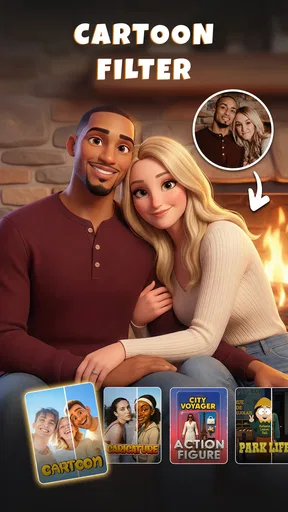
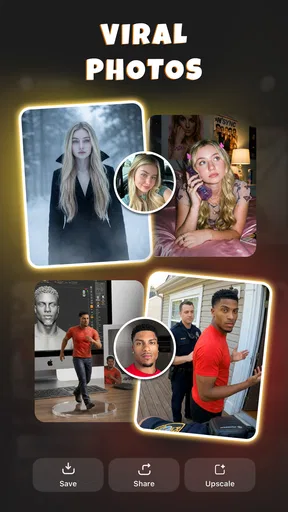
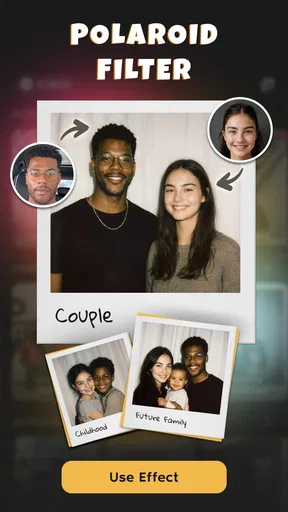
 Analysis by AppCompare
I tried ToonApp AI+ Viral Photo Maker for the kind of quick visual experiment that can make an ordinary selfie feel worth sharing. Its appeal is easy to grasp: take a portrait, give it a more playful illustrated look, and see whether the result fits your mood or a social post. I found it most enjoyable when I treated it as a creative toy rather than a replacement for a full photo editor. The difference matters: this is an app for changing the feel of a picture, not for carefully retouching every detail.
What the free access does—and does not settle
The app is free to download, so you can start exploring without paying upfront. It also offers in-app purchases priced from $7.99 to $69.99 per item. That range is worth noticing before you get attached to a particular workflow: the free entry point and the paid options are separate parts of the decision. I would first try the features that are available to me, then decide whether a paid item solves a real need rather than buying simply because a style looks tempting.
I can’t judge the value of a specific purchase from its price alone. A higher-priced item only makes sense if it unlocks something I will use repeatedly, while a one-off cartoon portrait may not justify spending at all. If you mainly want an occasional funny profile picture, the no-cost starting point may be enough. If you expect to make a steady stream of polished variations, take a moment to check what the app offers in the purchase flow and whether those options match the way you create.
Why the playful edits can be useful
What I like about this kind of transformation is that it changes the purpose of a photo. A regular selfie is usually meant to show exactly how I looked; a cartoon treatment lets me make a lighthearted avatar, a group-chat image, or a visual break from the usual camera roll. ToonApp AI+ is a photography app from Lyrebird Studio, and its focus on stylized results makes more sense for playful sharing than for producing a natural-looking portrait.
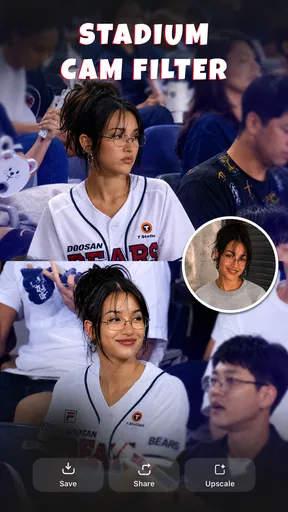
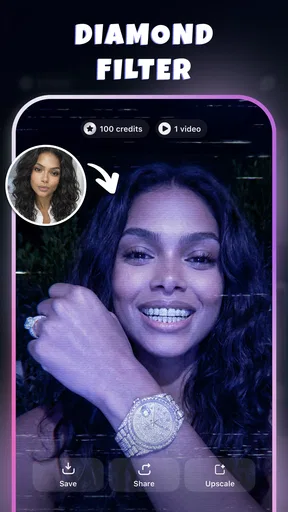
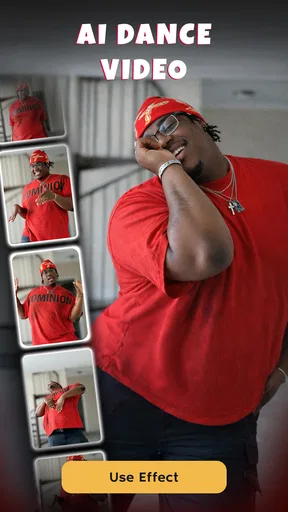
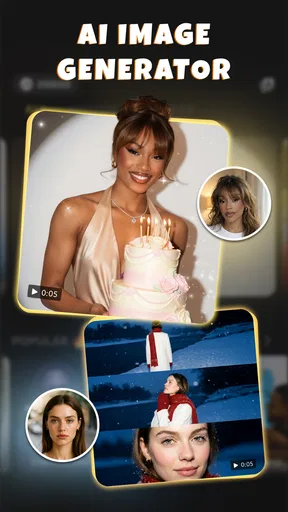
The app’s wider creative pitch includes AI dance videos as well as caricature and three-dimensional cartoon effects. That gives it a more animated feel than a basic filter tool. I would approach those options as ways to make a post or personal image more expressive, not as a guarantee that every input will turn into a convincing result. The source photo still matters: a clear face with an uncluttered view gives an editing tool a better starting point than a dim, busy snapshot.
A practical tip is to keep a clean original before experimenting. I would make a copy of the photo or choose an image I can easily find again, then compare the stylized version with the original before sharing. That small habit makes it easier to judge whether the effect has kept the expression and identity I wanted, and it avoids treating a novelty edit as the only version of an important photo.
A realistic way to use it in a busy day
Imagine I have a casual selfie from a coffee break and want a less predictable image for a friends’ group chat. I could use that photo as a starting point, try a cartoon or caricature treatment, and choose the version that still feels recognizably like me. If the result looks too exaggerated for a profile image, it may work better as a temporary post or a joke among friends. The useful part is having different levels of seriousness in mind before editing: a fun effect does not have to become a permanent public-facing portrait.
Worth Reading Before You Choose

Flipboard Shows What News Apps Must Do Beyond the Feed

Switching to Android Auto Means Rethinking Your Driving Routine

Google Calendar Makes a Crowded Week Easier to Manage

Ludo King Makes the Most of the Minutes Between Plans

Baby Panda World Brings Quick Play to Modern Phones, but Its Game Library Feels Busy

ESPN’s Live Game View Makes Following Close Games Easier
For a small gathering, I would also treat a group picture as a shared activity rather than assuming the output will be ready to post without checking. People may have different comfort levels about appearing in an edited image, and faces or expressions can be rendered unevenly. I’d show the result to everyone in the picture first, especially if I planned to share it beyond a private chat. That is less about the app itself than about being considerate with photos of other people.
How it compares with familiar photo tools
Compared with a conventional photo editor, ToonApp AI+ is aimed at changing a portrait’s style rather than giving me fine control over exposure, color, cropping, or detailed cleanup. If I want a natural image with careful adjustments, a standard editor is the better fit. If I want a deliberately altered look that can make a selfie feel cartoonish or more animated, this app’s direction is the more relevant one. I would not pick either as a universal substitute for the other; they answer different creative questions.
It also differs from simply applying a common color filter. A filter usually changes the image’s tone while leaving the photograph recognizably photographic. Cartoon and caricature effects change the visual character more dramatically, which can be charming but also less predictable from one picture to another. I’d try a few different source images before deciding that a style does or does not suit me. A front-facing portrait, a side-lit photo, and a busy group shot can each produce a different kind of challenge for an automated effect.
Where I would slow down
The main trade-off is control. A fast, stylized transformation is convenient, but it may not preserve every small detail exactly as I would want. If I need a specific likeness, a consistent visual identity across several portraits, or a carefully finished image for professional use, I would compare the result closely and consider a more hands-on editor. A fun first impression is not the same as a dependable production workflow.
I would also be selective about which images I use. Photos with several faces, overlapping subjects, unusual angles, or distracting backgrounds can be harder to assess than a simple portrait. The app may still produce an entertaining result, but I would not assume that every person will receive equal attention in the finished image. For a group picture, inspect each face before sharing; for an important portrait, keep the unedited version and avoid making the cartoon result the only copy you retain.
Another sensible trade-off is time spent browsing effects. A large collection of styles can make experimentation fun, but it can also turn a quick edit into a long search for the “right” look. I find it helpful to decide on the purpose first—avatar, playful post, or keepsake—and stop once I have an image that serves it. That keeps the app enjoyable instead of making a simple creative task feel like a chore.
Who is likely to get the most from it
I think it suits people who enjoy casual visual experiments, want a distinctive avatar, or like adding an illustrated twist to a social post. It may also be a good fit for friends who enjoy comparing playful versions of the same picture. The app is rated for Everyone, so its stated age classification is broad, though anyone using it with children’s photos should still make thoughtful choices about sharing and purchases.
People who need subtle, realistic retouching may be happier elsewhere. The same goes for someone who wants precise control over every edit or relies on a consistent look for work. In those cases, a conventional editor is likely to offer a more suitable approach. I would also skip paid options until I had a clear reason to use them; the free download makes it possible to test whether the creative style appeals before spending.
Its store presence has an average rating of 4.7 from around 1.4 thousand ratings, with over 500 reviews and more than 10 thousand installs. Those figures suggest that people are engaging with it, but they cannot tell me whether its particular effects will match my taste or whether a purchase will feel worthwhile. I treat ratings as a useful signal to investigate, not as a substitute for trying the app with the kinds of photos I actually plan to use.
The current version is 1.0.11, and it requires Android 9 or later. It was released on January 9, 2026. Those details are useful if I am checking compatibility or trying to understand which release I am considering, but they do not change the practical test: whether the available styles produce images I would genuinely keep or share.
One question I would ask before installing is whether I need an effect-led app or a general-purpose editor. If the goal is an amusing cartoon portrait or an animated-looking social image, this is much closer to the first choice. If I mainly want to improve lighting or make precise corrections, I would start with an editor built around those tasks instead. Thinking about the output before opening the app helps set expectations and makes it easier to judge the result fairly.
I would also consider how often I expect to use it. Someone who wants one memorable avatar might get what they need without paying, while a frequent creator may find more value in exploring the purchase options—provided the items on offer are useful to their routine. Since the individual value depends on what a person wants to make, I would review the in-app choices carefully rather than assuming that a higher price means a better fit.
There is a small but important distinction between an image that looks amusing on a phone and one that works well everywhere. A strongly stylized face may stand out in a social feed but lose detail when shown small, while a busy background can compete with the effect. I’d preview a finished image at the size and setting where I intend to use it. For a tiny avatar, a simple composition and clear face may matter more than a complicated scene.
Getting Started with ToonApp AI+
First things first, downloading ToonApp AI+ was a breeze. Available on both Android and iOS, I just popped into the app store, hit download, and voilà, I was ready to dive into the world of cartoons. The interface is super user-friendly, which is always a plus. I didn’t feel like I needed a manual to figure out what to do next.
Once you open the app, you're greeted with a simple and intuitive layout. You can either snap a new pic or upload one from your gallery. And the magic begins right there. The app uses AI to transform your image into a cartoon version in just a few seconds. It's seriously cool to see yourself as a cartoon character!
Features that Make It Stand Out
Now, let’s talk features because this app isn’t just a one-trick pony. The AI technology behind it is pretty impressive. It accurately captures facial features and expressions, which means your cartoon version truly looks like you, just with a whimsical twist.
There are also tons of editing options. You can choose different styles, like a classic cartoon or something more modern. Plus, there are filters galore. Want to throw on a comic book effect? Done. How about a watercolor painting vibe? Easy peasy.
And for those of us who love sharing our creations, the app makes it simple to post directly to social media platforms. There's even an option to add funky backgrounds or text, which is perfect for creating standout posts or stories.
How It Performs in Real Life
I’ve tested a bunch of photos, and the results are consistently fun and engaging. The app’s processing speed is fast enough that you won’t be left twiddling your thumbs. Plus, it doesn’t seem to drain my phone’s battery, which is always a bonus. I did notice that the more complex the photo, the longer it takes, but it’s nothing unbearable.
One thing I particularly enjoyed was experimenting with group photos. The app handles multiple faces surprisingly well, and it’s a blast to see everyone’s cartoon alter ego. It’s definitely a hit at gatherings when you want to make everyone chuckle.
Final Thoughts
So, would I recommend ToonApp AI+? Absolutely! Whether you're an influencer looking to spice up your feed or just someone who loves playing around with photos, this app is worth checking out. It’s fun, it’s creative, and it’s a great way to see yourself in a whole new light.
Of course, like any app, there's always room for improvement. I’d love to see more options for customizing cartoon styles in future updates. But for now, it’s a solid choice for anyone looking to add a bit of animated flair to their photo collection. Give it a go, and who knows? You might just become the next viral sensation on your feed!
Pros
- User-friendly interface for easy navigation.
- Wide range of cartoon effects available.
- Quick processing time for photo edits.
- Regular updates with new features.
- High-quality output for social media sharing.
Cons
- Limited free features; premium required.
- Occasional ads can interrupt workflow.
- May require stable internet for best use.
- Some effects may not suit all photo types.
- App size can be large for some devices.
FAQs for ToonApp AI+ Viral Photo Maker
What is ToonApp AI+ Viral Photo Maker used for?
ToonApp AI+ Viral Photo Maker is an innovative application designed to transform your photos into cartoon-like images using advanced AI algorithms. It offers a variety of artistic filters and effects, allowing users to create unique, shareable content that stands out on social media platforms.
Is ToonApp AI+ easy to use for beginners?
Yes, ToonApp AI+ is user-friendly and ideal for beginners. The app features an intuitive interface with simple navigation, making it easy to apply filters and effects. Users can easily transform their photos into cartoons with just a few taps, without needing complex editing skills.
Does ToonApp AI+ require an internet connection?
ToonApp AI+ requires an internet connection for initial setup and when applying certain features that rely on cloud-based AI processing. However, once the necessary components are downloaded, some basic features can be used offline, offering flexibility for users on the go.
Are there any in-app purchases in ToonApp AI+?
Yes, ToonApp AI+ offers in-app purchases that unlock additional features and effects. While the app provides a variety of free options, purchasing premium content can enhance your experience with more sophisticated filters and tools, providing greater creative flexibility.
What devices are compatible with ToonApp AI+?
ToonApp AI+ is compatible with a wide range of Android and iOS devices. It supports most modern smartphones and tablets. For optimal performance, it’s recommended to use devices with the latest operating systems and sufficient processing power to handle AI-based transformations.


